

Configure Single Sign-on
Last Updated: Version R2510RICOH IA supports Single Sign-on (SSO) using Entra ID. The Tenant Administrator can configure SSO to control user access to RICOH IA.
Before a user can login using SSO, the user must have an account created in the RICOH IAsystem. Refer to Manage User Accounts for details.
Determine which email domains are permitted for SSO. Enter each domain, separated by a comma. For example, if google.com and company1.com are allowed, users with emails ending in those domains will be permitted to login with SSO. In this case, operator1@google.com and operator1@company1.com are permitted to use these email addresses to login.
On the RICOH IA login screen (shown below), users can click the Sign with SSO link to proceed to enter their Entra ID credentials.
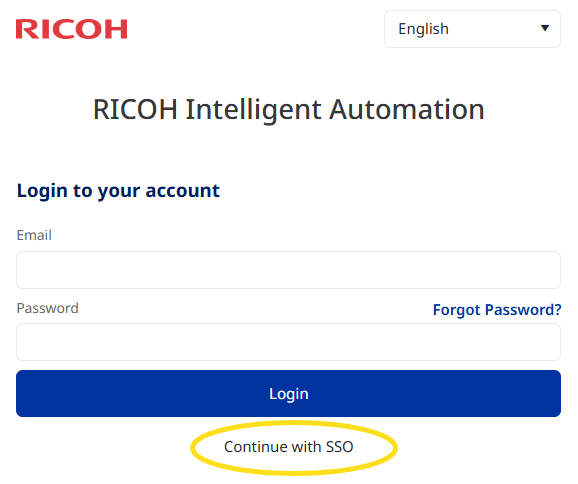
The user can enter their email address in the SSO Email field, and then click Login to proceed:
-
If the email domain does not match a configured domain for this tenancy, an error message indicating "Application error. The tenant is not allowed to login using SSO" appears.
-
If the email domain matches a configured SSO domain, the user will proceed to the Entra ID authentication screen.