

Login with MFA or SSO
Last Updated: Version R2510Your Administrator may enable Multi-factor authentication or Single Sign-on. If either option is enabled, this will change the way you login to RICOH IA.
Multi-factor Authentication
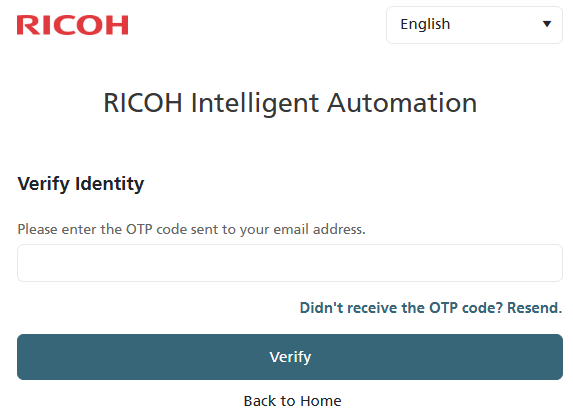
If the Administrator enabled Multi-factor authentication, you will see the following screen after you enter your email address. A code has been sent to your email address that you must enter into this field. Once you enter the code, click Verify to complete multi-factor authentication and access RICOH IA. If you enter the wrong code 5 times, your account will be locked for 15 minutes.
If at a later time you need to change your login information, refer to Setup Your Profile for instructions.
Single Sign-on (SSO)
If Single-Sign-on has been enabled, the next time you login, you will see an option to click Continue with SSO.
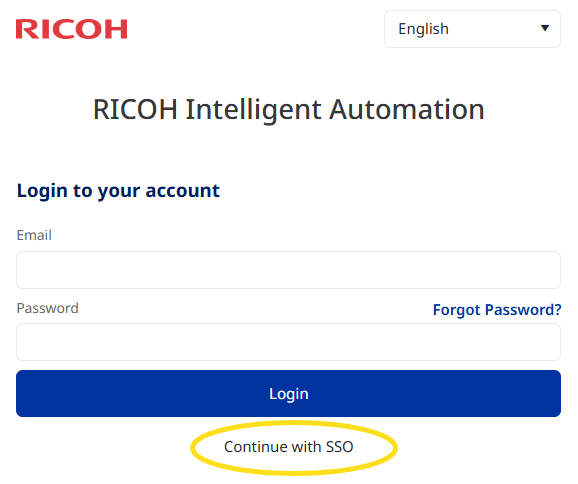
Click this link to view the SSO Email sign-in option, shown below.
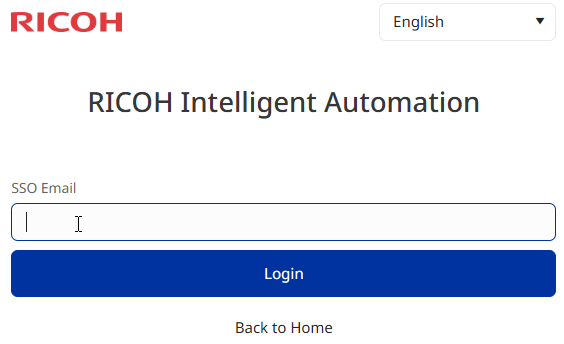
Enter your email address and click Login. If your email domain matches one of the allowed domains that has been configured, you can then login using Entra ID.
If SSO has not been set up, you will see an error message. Click Back to Home to login using the default login instead.