Process Flow: Condition
Last Updated: Version R2510A condition indicates a decision point in the process flow that is placed either both or after a task and is based on whether documents match specific criteria. A condition may be true or false and may be combined with a task. Or, a condition may require a branch in the process flow depending on if the condition is met.
You could create a condition that examines the Extraction confidence. If the confidence percentage exceeds 95%, you may want to skip a Validation step in the process flow. In this case, you need a condition that is the Type true/false and sets "All documents are true" for Extraction confidence to Greater Than or Equals 95. 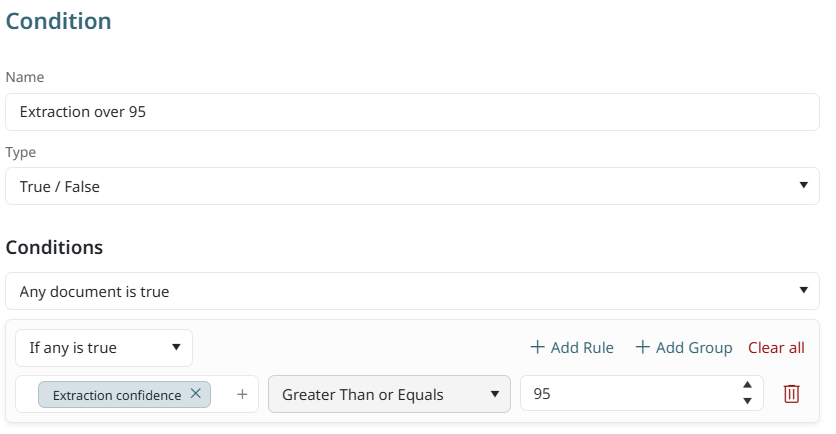
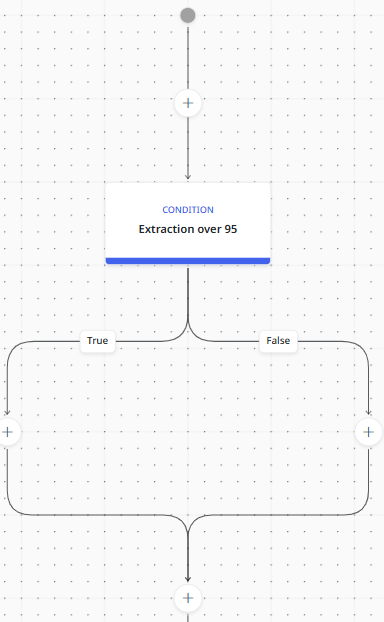
The process flow will branch based on if the condition is met, and you need two rules or tasks to complete the flow. The image below shows the result of adding the true/false condition to the flow. You could add a Task to the True side of the flow that routes the documents directly to OneDrive with no further review or validation required. You could also add a Review or Validation task on the false side of the flow that requires further human intervention.
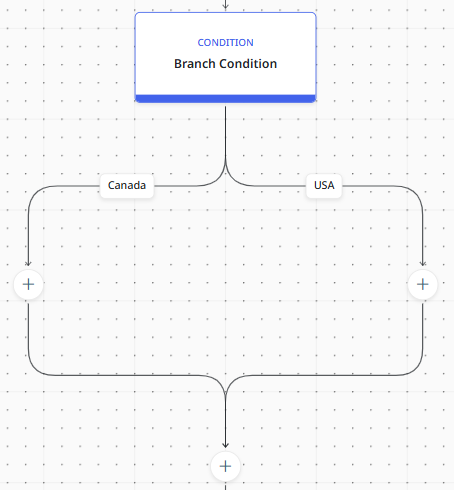
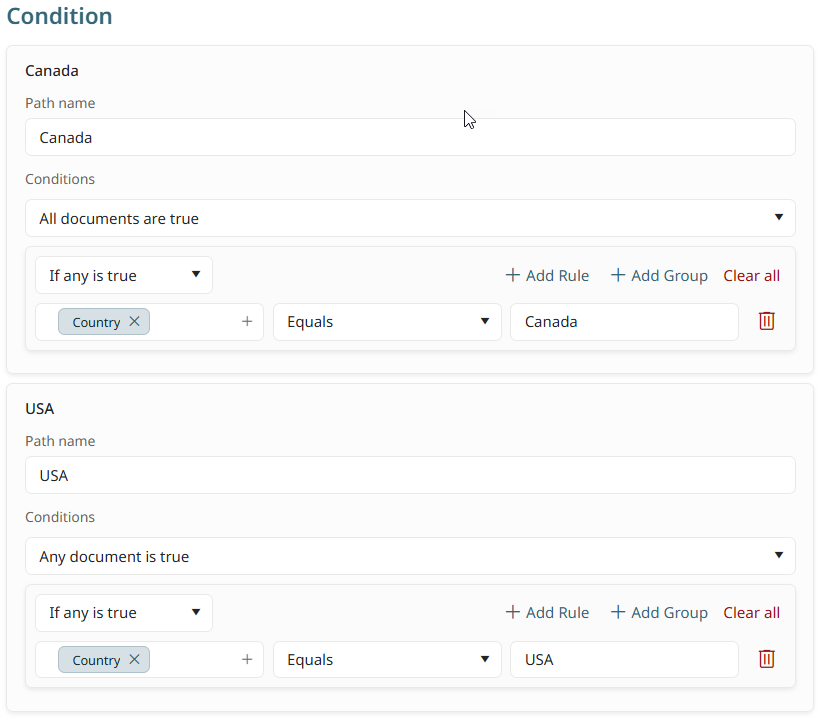
Alternatively, a condition could require a branch of the process flow into two unique paths that are based on document information rather than a true/false condition. For example, if dealing with invoices from two countries and you need to route the invoices based on the country of origin, you could create a condition that branches the documents when a variable is identified. In this example, Path 1 will route invoices from Canadian companies, whereas Path 2 will route invoices from USA companies. Because the document routing requires two different locations, a condition easily splits the flow based on the country name that is found within the document.
The resulting process flow will look like the image below. You can then add the routing tasks to each side of the flow.